Seed Packet Card Tutorial
I’m excited about the response my new Seed Packet Card Template and Cutting Files has received!! It’s always fun to create something that others are enthusiastic about. And those projects my Creative Team created are incredible, aren’t they? Don’t forget that you still have a chance to win a $10 gift card to my store by commenting on one of the stops on my blog hop!!
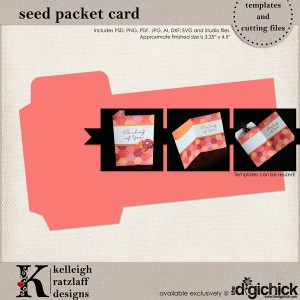
This template comes in PSD, PNG, PDF, JPG, AI, DXF, SVG and .Studio files! You can use your digital die cut machine or cut it by hand! Wahoo!
Assembling this little Seed Packet Card might seem self-explanatory, but I always get a little confused, so I thought I’d show you how I did it.
As always . . .
Before I get started, let me direct you to some pretty good tutorials (if I do say so myself!) found at The Hybrid Chick:
Where to Start – offers suggestions for basic materials to get you started with hybrid.
Using Templates – guides you through the process of using my templates from downloading to adding digital paper, and preparing to print.
Borderless Printing – shows you how to find your borderless printing option on your printer . . . or at least gets you headed in the right direction.
Now, print your project! Of course, you can use digital paper or simply print the lines only PDF version on some of the patterned paper or cardstock in your stash.
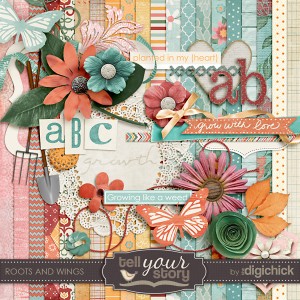
I used a soon-to-be-released collaboration kit called Roots and Wings by The Digichick Designers. It is AMAZING, as always!! Here’s a little sneak peek, but don’t tell the ladies you saw it here! LOL! It will be available May 3rd!
Let’s get going!
I printed my project out onto Epson Premium Presentation Paper Matte and used the Fast Normal printing mode to conserve ink. I definitely changed the color of my lines before printing to make them less noticeable. I often change them to white! Just a little tip for ya! You can still see them, but they don’t jump out at you like black lines would on a final project.

Next, score on the dashed lines using a bone folder or some other scoring tool. A single tine of a fork and a straight edge works great!

After that, cut the whole project out. I always cut after I score, because it’s much easier to score on a full sheet of paper. I use a craft knife (Xacto knife) for most of my template cutting these days, but you can use micro tip scissors, too!
Next, you fold the template as shown!

And, use your favorite adhesive to glue the tabs to the INSIDE of the card packet. My favorite liquid adhesive (which I use on almost everything these days) is Beacon’s 3-in-1 Advanced Craft Glue. You can find it at large craft stores and some scrapbooking stores. Love this stuff!! (I would totally link you up, but the prices on Amazon are completely insane. This stuff is about $5 a bottle, but, of course, I use coupons!)

Just a little reminder to glue the side and bottom tabs to the INSIDE. Don’t wrap them around. That would look tacky.
This is me, pressing the edge down while it drys.

And, that’s it! It’s assembled! This is the inside. You can see that the envelope flap opens on the inside of the card.

And, you can also see that I totally messed up on my stamping. Yeah. I know. I’m a dork. I should have put a different sentiment inside! Oh, well. You’ll do better, right? 
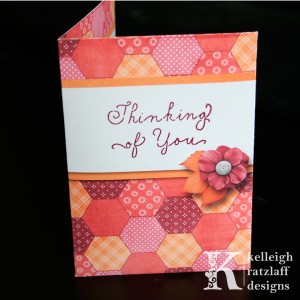
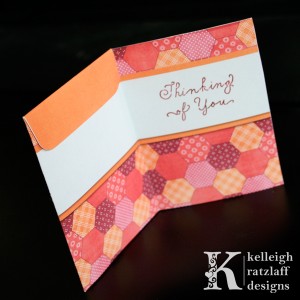

Keep in mind that you can put lots of different items inside this adorable card!! Check out some of the projects on the blog hop for some ideas. You’ll find gift cards, cash, jewelry and more! Oh, and you can totally fit a seed packet inside the seed packet card. It just slips in!
I hope you have a great time creating with this new template! Be sure to share your creation on my Facebook Page and in the gallery at The Digichick! I’d love to see what you make!
 Disclosure: This post may contain affiliate links. When you use them, you help support this site! Thank you!


 (1 votes, average: 5.00 out of 5)
 Loading ...







This would be great for cash or gift card gifts, like graduation or special occasions! Fab! THX!
[Reply]
Leave your response!